Work with the agent
Ask, read the proposal, and apply it yourself.
The agent works on the station that is open, in the folder you are looking at. It reads the station for real: its components, links, values, histories and alarms. It never changes anything by itself. What it would change comes back as a proposal, and nothing reaches the station until you apply it.
Step 1: Ask in your own words
The agent panel is on the right of the workspace; Show agent brings it back if it is hidden. Open the folder you mean, then write as you would to a colleague:
- What is on this sheet, and which blocks are wired to nothing?
- Why is AHU-1's supply fan not running?
- Add a high alarm at 80 °F to SupplyTemp, with a five-minute delay.
- Discover the BACnet devices and add the ones that are not on the station.
- Build a lead/lag alternation for the two pumps in this folder.
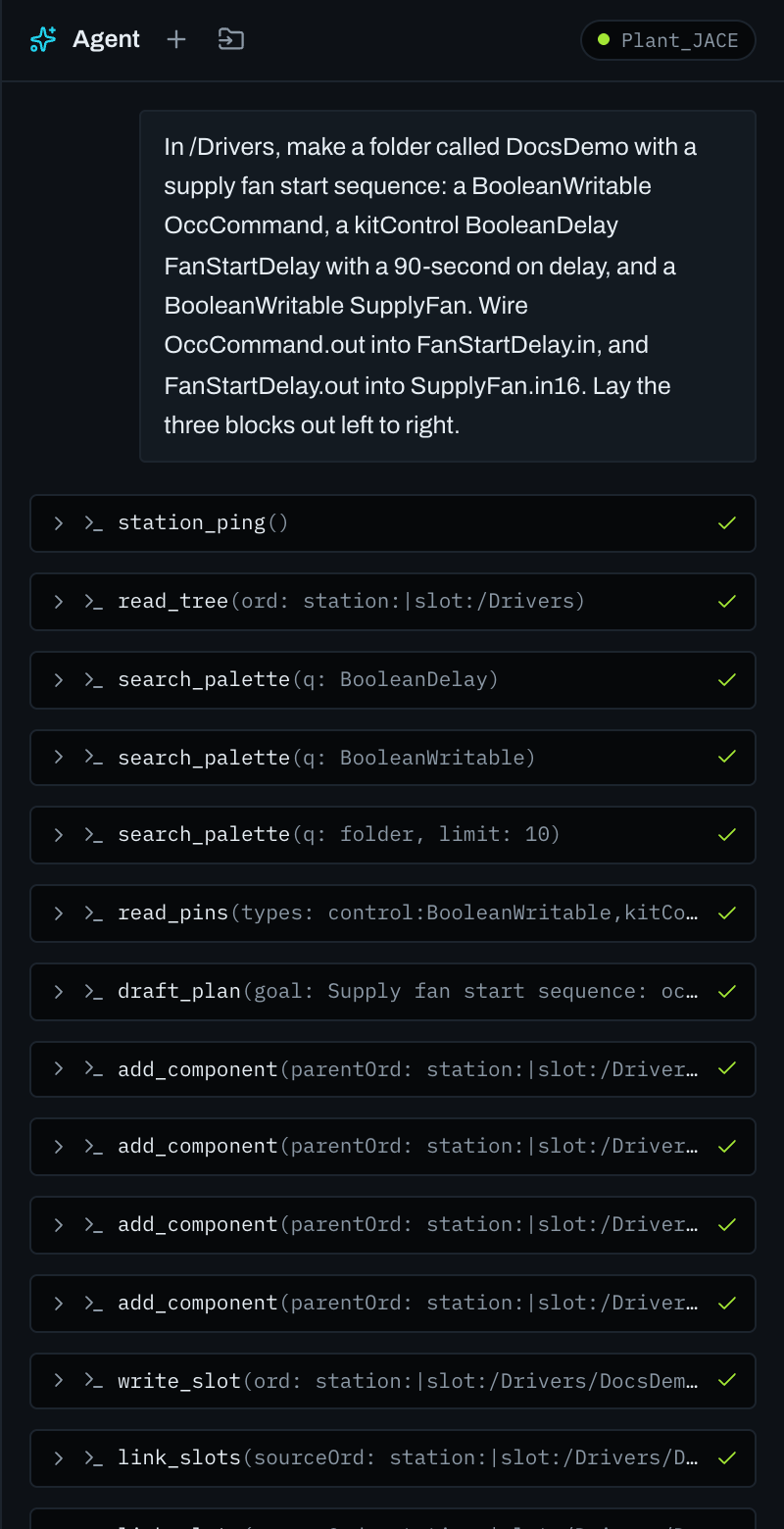
Step 2: Read the proposal
A change ends as a card of steps. Each step has already been asked of the station as a dry run, so a value the station would refuse is refused on the card, before anything is applied. Read the agent's answer above it: it says what it read and why it chose what it did.
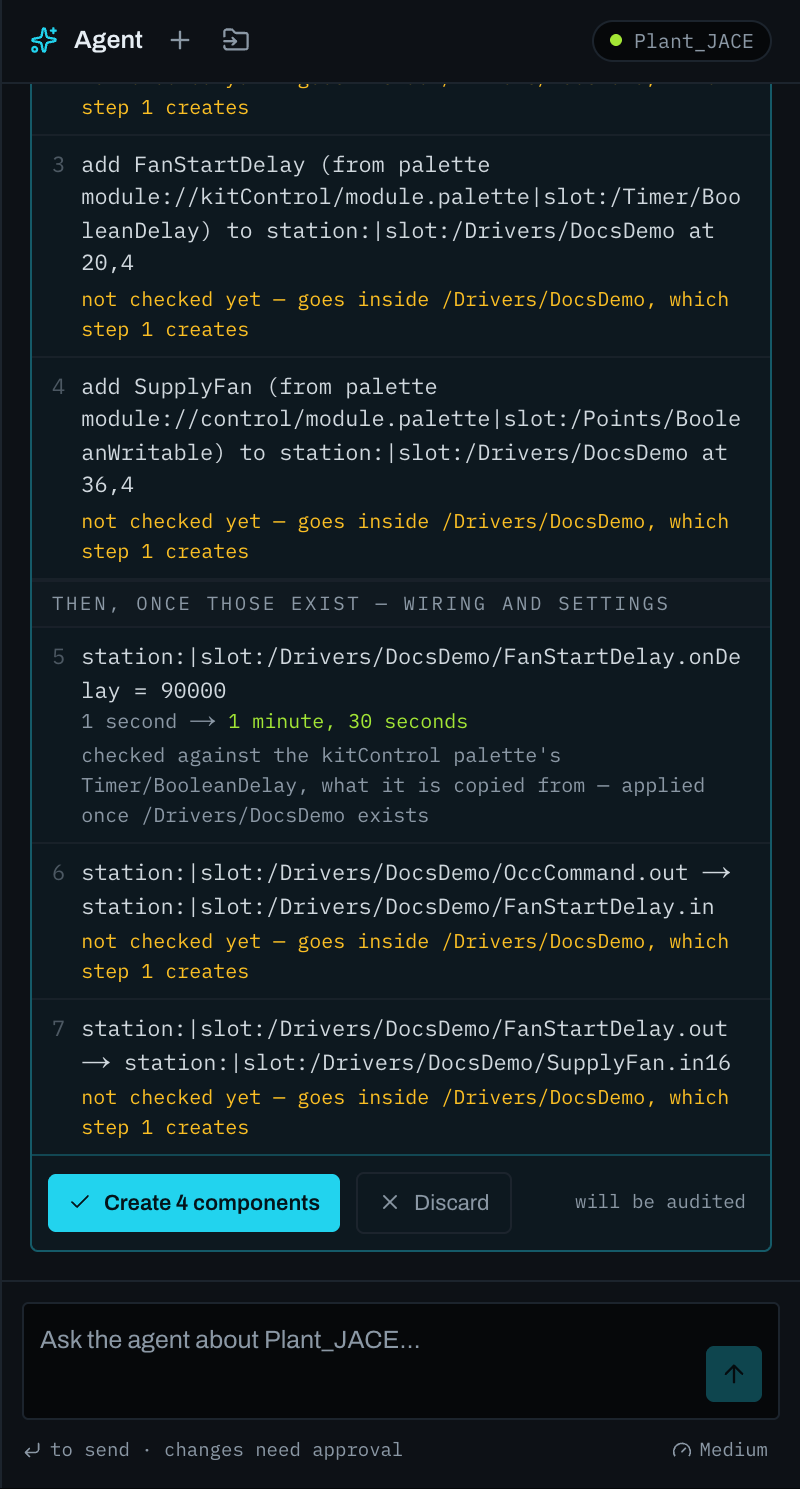
Step 3: Apply it yourself
Switch the workspace to Commission and press the button at the foot of the card. It names what it will do, such as Create 4 components or Apply to station. The steps go in order, and the card shows each one as it lands. Wiring into what the proposal creates is checked once that exists and goes in under Apply the wiring.
- Steps that change what already runs, such as removals, renames, writes to a point's priority inputs or switching something off, are listed at the top of the card and wait until you type
apply. - Leave a step out and the rest still go in. Discard drops the whole proposal.
- Save the station afterwards, as you would after any change.
One proposal after another
A proposal waits on its card for eight hours, and the next question builds on it: ask for a folder, then for the points inside it, and the second card goes in after the first. A card scrolled out of sight is named above the message box, with how many steps it has left.
Effort
The gauge under the message box sets how hard the agent works on your next message, from low to max. Medium suits most station work. A large build or a whole sequence goes better at a higher effort, which is slower and uses more of your allowance.
Your allowance
The meter beside it shows how much of the current session and week is used, and when each starts again. When one runs out, the agent says so and when it will be back; the rest of the workspace keeps working.
Station text is data, not instructions
A name, a description or an alarm text on a station is something the agent reads, never something it obeys. If such text tries to direct it, the agent tells you what it says instead of acting on it.
Through the station link
On a station reached through the extension, everything the agent reads goes through your browser during the turn. Keep the tab open until the answer arrives; closing it ends the turn. What it reads is sent to our server and to the model provider, as the extension's privacy policy says.
Next
If something does not connect or is refused, see Troubleshooting.